Time & attendance that gets every hour right.
Punches come straight from your biometric time clocks and the TNA-USA app. Timecards fill themselves, exceptions are flagged before payroll, and overtime is worked out under federal FLSA and your state's rules, site by site.
- FLSA + CA, AK, NV and CO daily overtime
- Works offline
- Exports for ADP, Paychex and more
Everything between the punch and the paycheck
Replace paper timecards, buddy punching and end-of-period spreadsheet fixes with one clean record of time worked.
Biometric time clocks
Connect ZKTeco and Armatura fingerprint, face and card terminals. Every punch lands in the cloud in real time, and no one can clock in for a friend.
Mobile & crew clocking
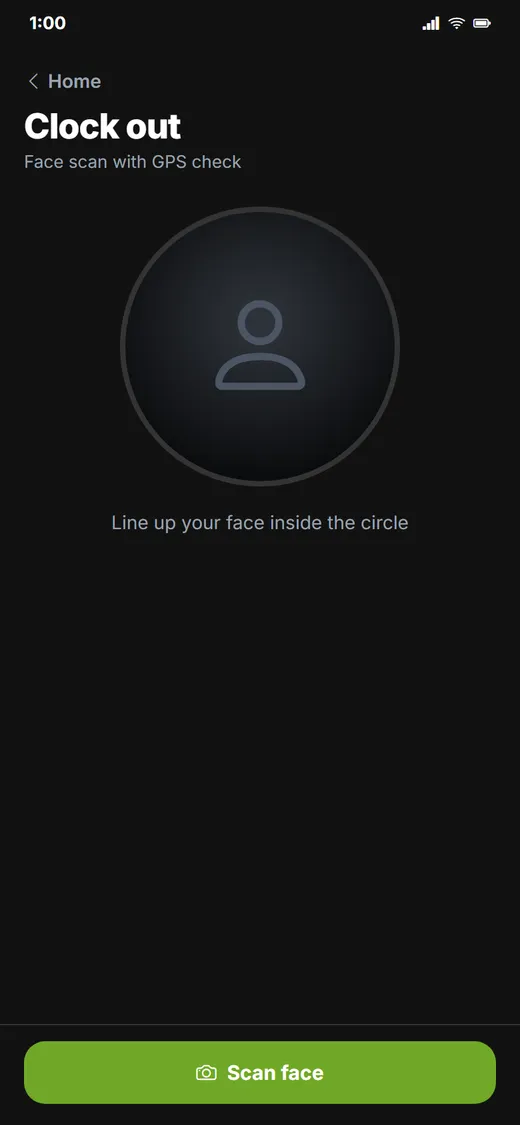
Supervisors clock individuals or entire crews from the Android app with face recognition and a GPS check. It keeps working with no signal and syncs later.
Timecards that build themselves
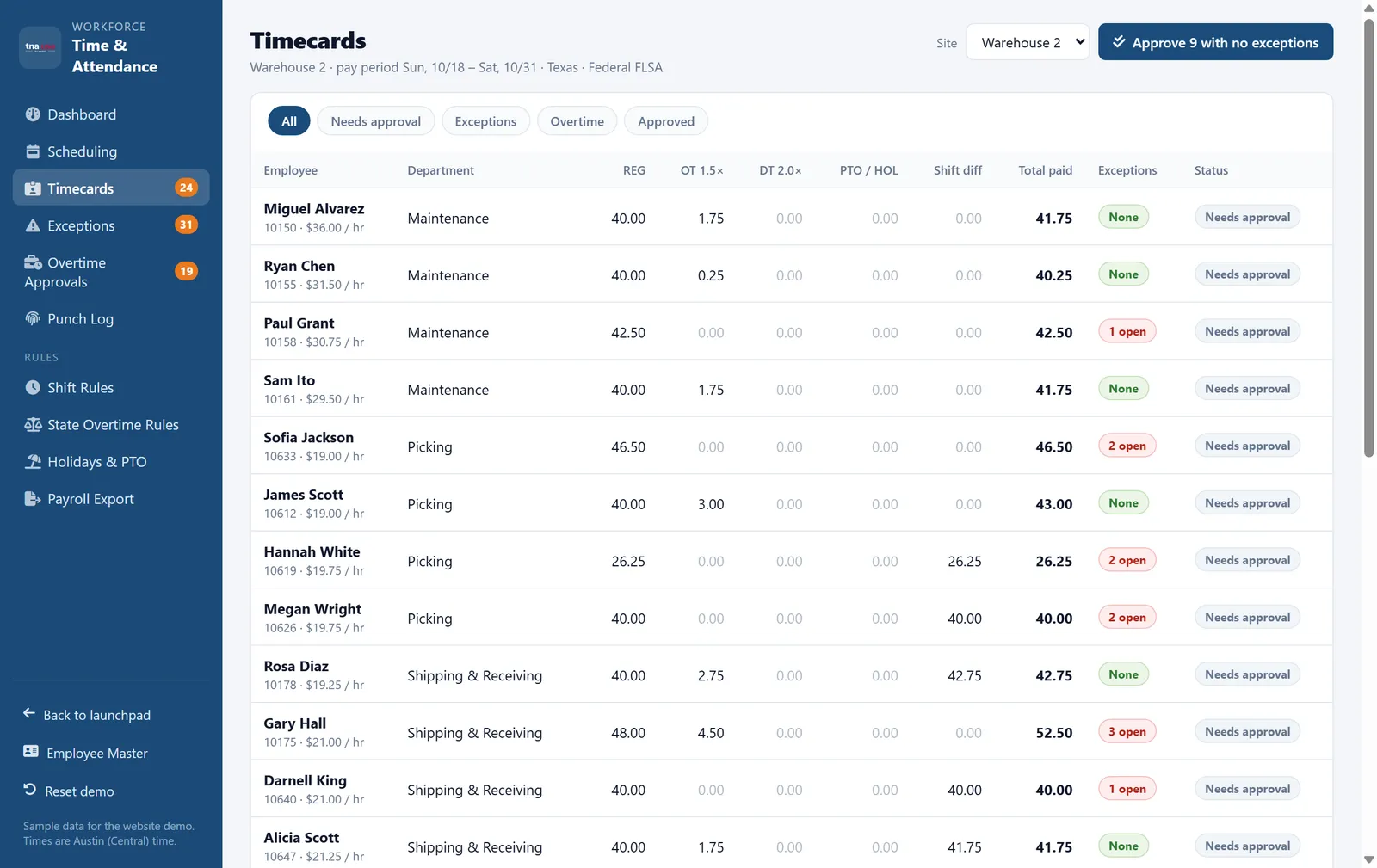
Punches pair into shifts automatically, including night shifts that cross midnight. Managers approve a whole team at once when everything is clean.
Exceptions before payroll
Missed punches, late arrivals, early departures, no-shows and missed meal breaks are flagged daily, so they are fixed on the day and not on payday.
Overtime approvals
See who is about to go over 40 hours. Unapproved overtime is still paid, as the FLSA requires, and flagged for a coaching conversation instead.
Payroll-ready export
Lock the pay period and export REG, OT, DT, PTO and holiday hours with your earning codes, in the CSV layout your payroll provider expects.
Set the rules once per site. We do the math.
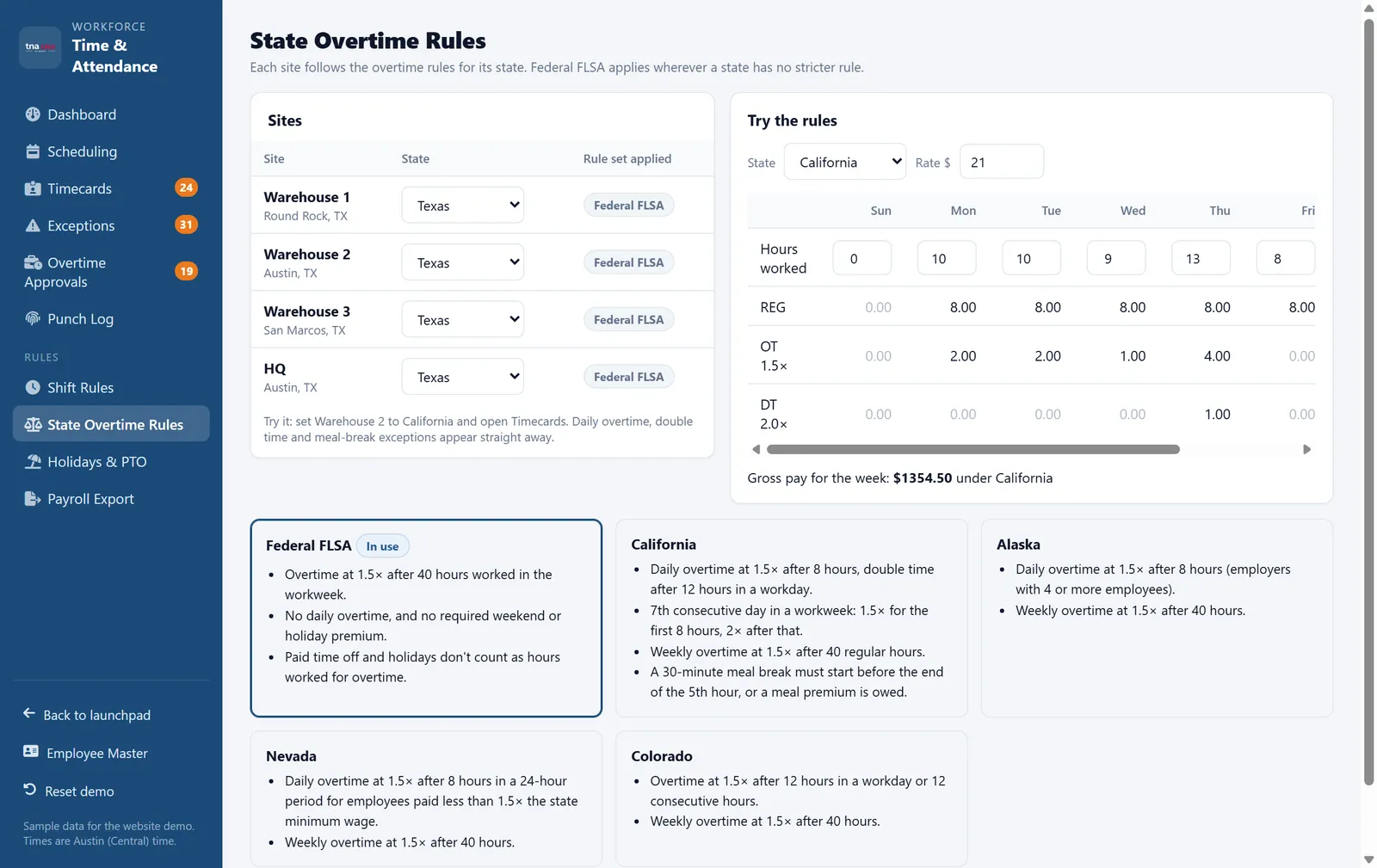
A warehouse in Texas and a plant in California pay overtime differently. Assign each site its state, and every timecard is split into regular, overtime and double-time hours under the right rules.
-
✓
Federal FLSA1.5× after 40 hours worked in the workweek, for every non-exempt employee.
-
✓
CaliforniaDaily overtime after 8 hours, double time after 12, and the 7th-consecutive-day rule, on top of weekly overtime.
-
✓
Alaska, Nevada and ColoradoDaily overtime thresholds applied automatically, alongside the weekly 40-hour rule.
-
✓
Rounding you can defendPay to the exact minute, or use neutral quarter-hour rounding (the 7-minute rule) applied the same way in both directions.
Catch problems the same day.
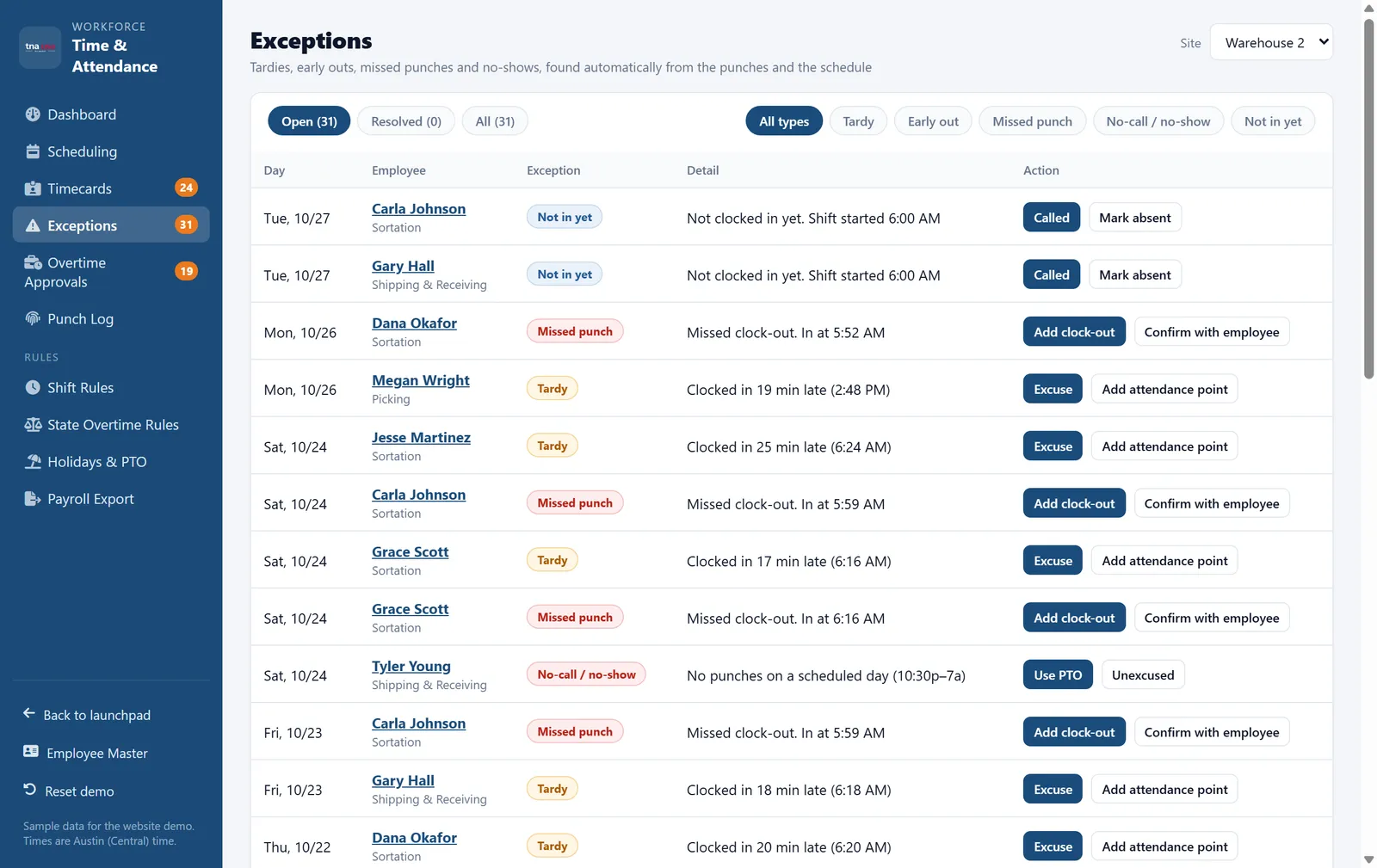
Every morning, supervisors get one list of what needs attention: who forgot to punch out, who missed a meal break and who has not shown up. Fix it, excuse it, or start a conversation in a couple of taps.
-
✓
Missed and odd punchesPair, add or correct punches with a reason. Every edit is kept in a tamper-evident history.
-
✓
Meal-break flagsSpot late or missed meal breaks in states like California before a premium is owed.
-
✓
Attendance pointsTardies and no-shows feed attendance points in HR automatically, while protected leave never counts.
Up and running without the drama
Connect your clocks
We connect your ZKTeco or Armatura terminals, or set up the Android app for sites without a wall clock.
Load your people and rules
Import employees, sites, shifts and pay rules, and choose the overtime rules for each state you operate in.
Approve and export
Supervisors fix exceptions daily. At the end of the period you approve, lock and export to payroll.
TNA-USA provides tools that support compliance programs. It does not provide legal advice. Requirements vary by state and municipality, so please confirm your obligations with qualified counsel.
Frequently asked questions
Does TNA-USA calculate state overtime as well as federal overtime?
Yes. Every site follows the federal FLSA rule of 1.5 times the regular rate after 40 hours in a workweek. You can also apply state daily overtime rules per site, including California daily overtime after 8 hours, double time after 12 hours and the 7th-consecutive-day rule, plus the daily overtime rules in Alaska, Nevada and Colorado.
Which time clocks does it work with?
TNA-USA integrates with ZKTeco and Armatura biometric terminals that use fingerprint, face, palm or card. For field crews and sites without a wall clock, the TNA-USA Android app clocks people in with face recognition and a GPS check.
What happens if the internet goes down?
Terminals and the mobile app keep recording punches offline. Everything syncs automatically as soon as the connection comes back, so no punches are lost.
Can we round punches?
Yes, if you want to. You can pay to the exact minute or use quarter-hour rounding, where punches within 7 minutes round to the nearest quarter hour. The rounding is applied the same way in both directions, which is what federal rules expect.
How do approved hours get into payroll?
Once a pay period is approved and locked, you export regular, overtime, double-time, PTO and holiday hours with your earning codes in the format your payroll provider expects, such as ADP, Paychex, Gusto or QuickBooks Payroll, or as a custom CSV.
Do we have to pay overtime that was not approved?
Under the FLSA, non-exempt employees must be paid for all hours worked, even if the overtime was not authorized. TNA-USA pays it and flags it, so the supervisor can address it as a policy issue instead of withholding pay.
Works with the rest of the platform
Every module shares one employee record, one set of time clocks and one login.
See it running on your own operation.
Book a 30-minute walkthrough with our team. We will show you the modules that matter to you, using your sites, shifts and state rules.