Shift schedules that match the time clock.
Plan the week for every site and shift, see overtime before it happens, and publish to everyone's phone. Because scheduling and time & attendance share one system, late arrivals and no-shows are flagged against the schedule automatically.
- 1st, 2nd and 3rd shift
- Overtime warnings while you plan
- Schedule change history
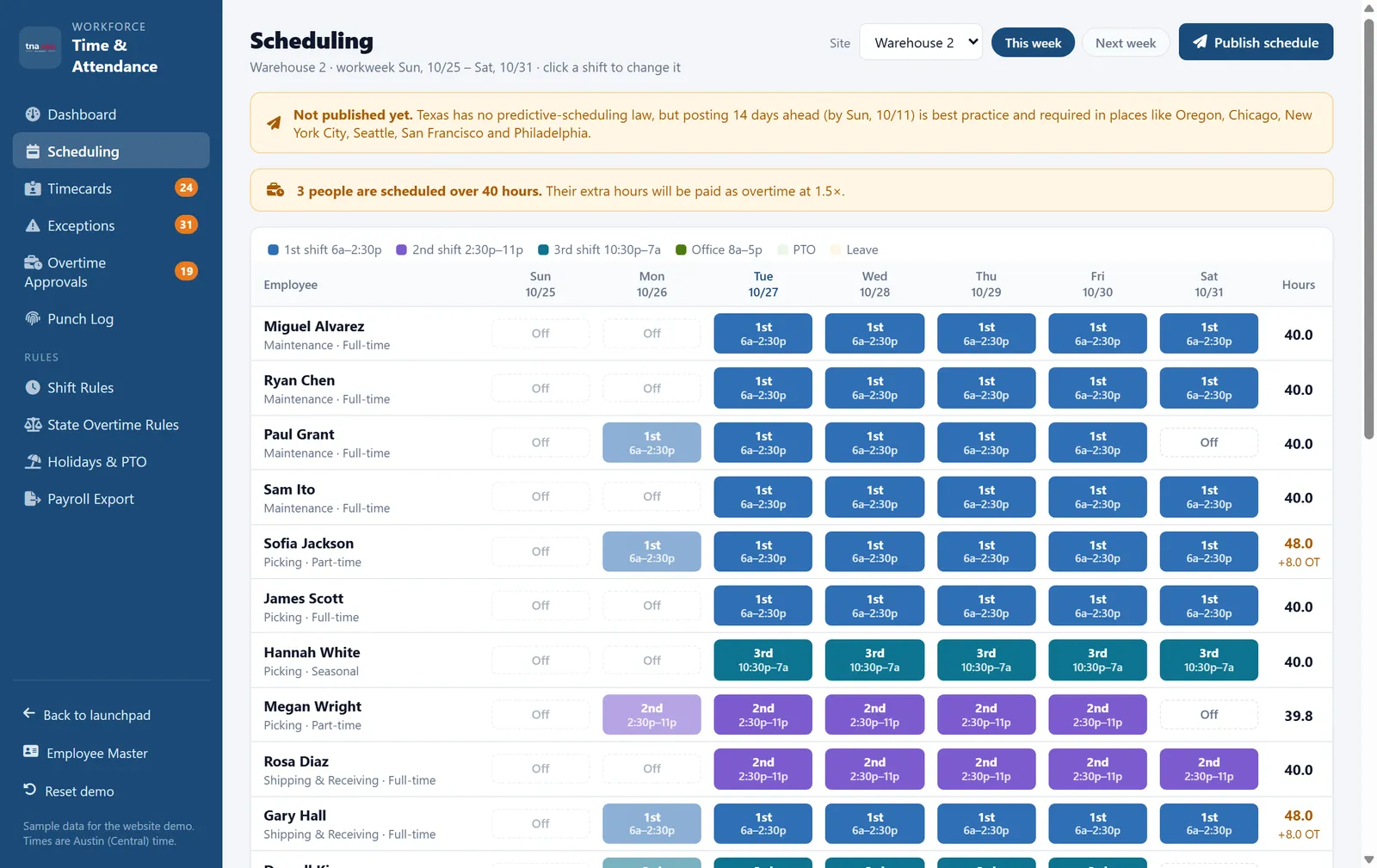
Plan the week in minutes
Built for warehouses, plants and job sites where shifts run around the clock.
Drag-free weekly grid
Click a cell to assign a shift, PTO or day off. Copy last week forward in one click, then adjust for the exceptions.
Overtime before it happens
Anyone scheduled over 40 hours is flagged while you plan, so overtime is a choice and not a surprise on the timecard.
Shift rules and differentials
Define start and end times, meal breaks and shift differentials for 2nd and 3rd shift, including shifts that cross midnight.
Schedules on every phone
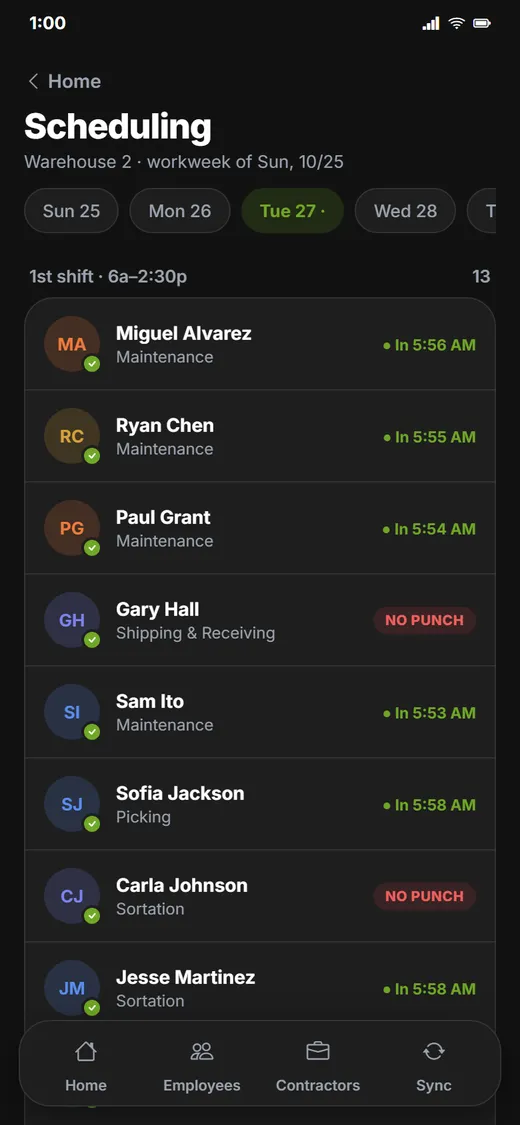
Publish the schedule and employees see their next shift in the app, in English or Spanish.
Who is here right now
Supervisors see who has clocked in for the current shift and who has not, in real time, from the web or the app.
Time off in the schedule
Approved PTO and leave appear in the schedule automatically, so no one is booked on a day they are off.
Predictive scheduling records, built in.
Fair Workweek and predictive scheduling laws in places like Oregon, New York City, Chicago, Seattle, San Francisco, Los Angeles and Philadelphia expect schedules to be posted in advance, often 14 days, and changes to be documented.
-
✓
Publish aheadSee how far in advance each week was published, with a reminder when the posting window is getting close.
-
✓
Every change on recordEach change after publishing is timestamped with who made it, which helps you support any predictability pay you owe.
-
✓
Per-site settingsSites in cities without these rules keep a simple workflow. Sites that need them get the extra checks.
TNA-USA provides tools that support compliance programs. It does not provide legal advice. Requirements vary by state and municipality, so please confirm your obligations with qualified counsel.
Frequently asked questions
Can employees see their schedule on their phone?
Yes. Once a schedule is published, employees see their upcoming shifts in the TNA-USA app, and supervisors see who is scheduled and who has clocked in for the current shift.
Does the schedule warn us about overtime?
Yes. Anyone scheduled for more than 40 hours in the workweek is flagged while you build the schedule, and the warning shows how many overtime hours it would create.
Does TNA-USA support Fair Workweek or predictive scheduling laws?
TNA-USA helps you keep the records those laws expect: when each schedule was published and every change made after that, with a timestamp and the person who made it. The rules differ by city and industry, so confirm your obligations with counsel.
Can we schedule overnight shifts?
Yes. Shifts that cross midnight, such as a 10:30 PM to 7:00 AM third shift, are handled as one shift for scheduling, timecards and overtime.
How does scheduling connect to time and attendance?
Every punch is compared with the published schedule. Late arrivals, early departures and no-shows are flagged as exceptions automatically, and they can feed attendance points in HR.
Works with the rest of the platform
Every module shares one employee record, one set of time clocks and one login.
See it running on your own operation.
Book a 30-minute walkthrough with our team. We will show you the modules that matter to you, using your sites, shifts and state rules.